
Back
Savings Management

How to track and report procurement savings to your CFO (so finance trusts the numbers)

5 min read
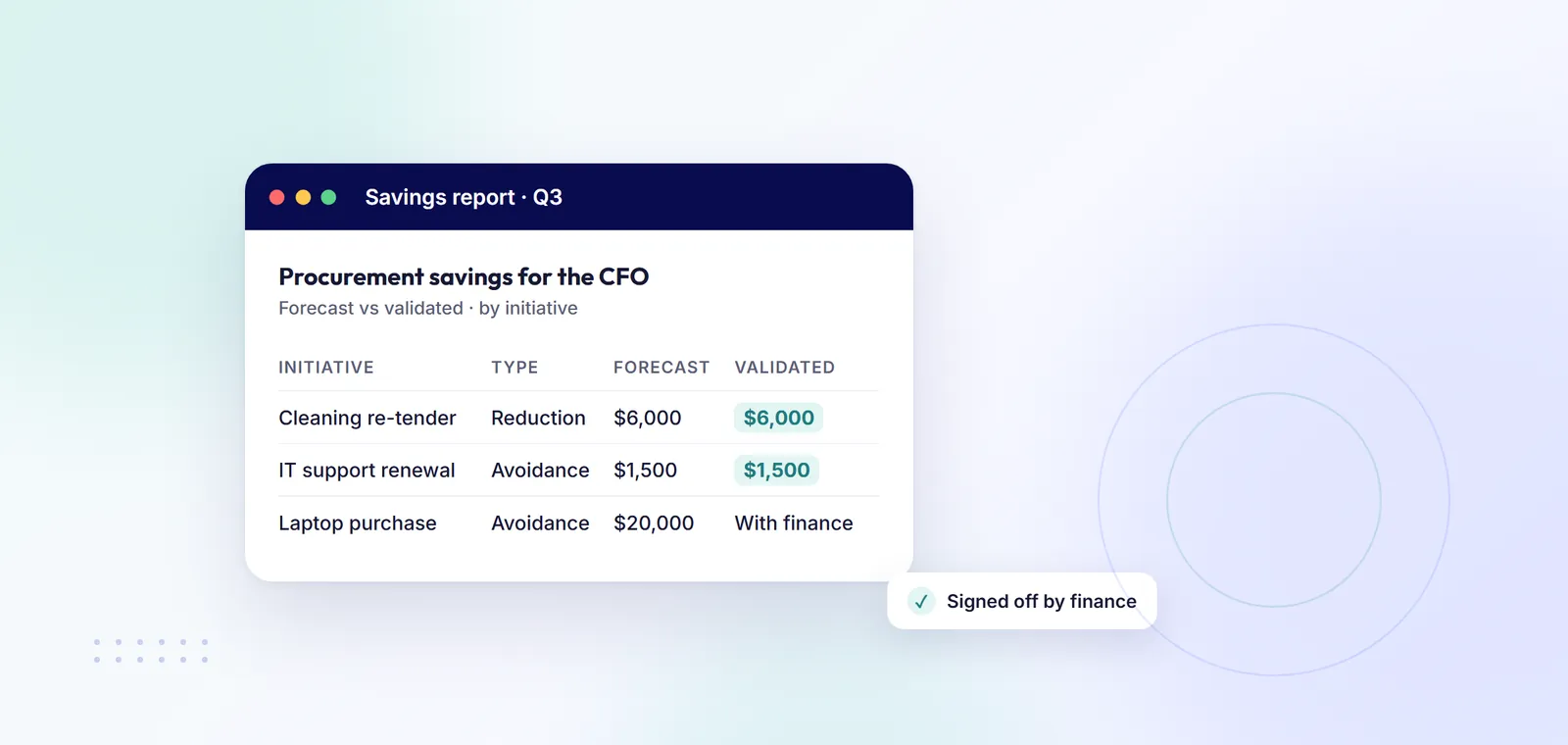
Quarterly procurement savings report showing forecast and validated savings
How to track and report procurement savings to your CFO (so finance trusts the numbers)

To report procurement savings your CFO will trust, agree the savings definitions and baseline methods with finance before you claim anything. Then record every initiative with an owner, a baseline, a forecast and a start date. Have finance validate each saving before it counts, and report forecast and realised savings separately, split by type: cost reduction, cost avoidance and process savings. A spreadsheet works for a handful of savings, and oboloo does the same job on a free-forever plan, with finance validation included.

Why finance doubts savings figures

Savings go straight to profit. At a 10% profit margin, a $100,000 saving adds as much profit as $1 million of extra sales.

The trouble is trust. Procurement says it saved $250,000, but the CFO cannot find it in the accounts. Often the saving was real, but it was measured against a baseline finance never agreed, reported cost avoidance as a cut, or was counted before the contract started. The method below fixes that.

How to track and report procurement savings: 6 steps

  1. Define your savings types with finance. Most teams use three. Cost reduction (hard savings) means paying less than before for the same thing. Cost avoidance means stopping a cost you would otherwise have paid, such as a supplier's 7% price rise: a real saving, but no budget line goes down. Process savings are time saved, such as fewer hours chasing quotes, usually reported in hours. Get finance to agree the definitions in writing. Our guide to cost avoidance vs cost reduction goes into more detail.
  2. Pick a baseline method for each kind of purchase. The baseline is the price you measure the saving against. Agree which method applies before negotiations start. The common ones:
    • Last price paid. What you paid last time for the same goods or service. Use it for repeat purchases and renewals. If the price moved around, use the average price over the last 12 months, so one unusually high price does not inflate the saving.
    • Average of quotes received. The average of the quotes that met your specification. Use it for new purchases with no price history. Leave out quotes that miss the spec, or one high bid will inflate the saving.
    • Budget or should-cost. The approved budget, or an estimate of what it should cost built up from materials, labour and a fair margin. Use it for one-off projects. Budgets can be generous, so finance should agree the figure first.
    • Market index. A published price index for things like energy, fuel or metals. Use it for index-linked prices. If the index rose 6% and your price rose 2%, the 4% difference is your saving, usually counted as cost avoidance.
  3. Record each initiative before you claim it. Log the supplier, savings type, baseline, forecast saving, start and end dates, owner and assumptions, such as volumes. One savings pipeline stops initiatives getting lost or counted twice. Our free procurement savings tracker template and savings tracker calculator are an easy start.
  4. Have finance validate. A named person in finance checks the baseline, the maths and the timing, then signs off. Agree the evidence they need: the old price, the quotes and the signed contract. Until a saving is validated, it stays a forecast.
  5. Track realisation over time. A saving is realised only when it lands: the new contract has started and you are paying the new price. Split longer savings into monthly or quarterly milestones and check each one as it falls due. If volumes drop, the realised saving drops too.
  6. Report monthly or quarterly. Review savings inside procurement monthly, and report to the CFO quarterly, or monthly if finance reforecasts monthly. Show pipeline, validated and realised savings in separate columns, with a total for each savings type.

Example: a simple savings report for your CFO

The numbers below are made up to show the layout.

InitiativeSupplierTypeBaselineForecast (12 months)ValidatedRealised to dateOwner
Cleaning contract retenderSupplier ACost reductionLast price paid: $120,000 a year$18,000Yes (finance, March)$9,000 (6 of 12 months)Facilities manager
Software renewal, price rise refusedSupplier BCost avoidanceProposed 7% rise on $50,000$3,500Yes (finance, April)$1,750 (6 of 12 months)IT manager
New packaging supplierSupplier CCost reductionAverage of 4 compliant quotes: $46,000$5,000Pending$0 (contract starts July)Operations buyer
Quote rules for low-value buysInternalProcess saving10 hours a month120 hoursYes (procurement)60 hoursProcurement lead

Totals by type: cost reduction $23,000 forecast, $18,000 validated, $9,000 realised. Cost avoidance $3,500 forecast and validated, $1,750 realised. Process savings 60 hours so far, reported apart from cash.

The CFO can see what finance has signed off, what has started to land, and what is still a forecast. The packaging saving is not realised yet, because that contract has not started.

Five mistakes that make CFOs distrust savings

  1. No baseline, or one picked after the deal. Choose the highest old price you can find and any deal looks good.
  2. Double counting across years. A $10,000 a year saving on a three-year contract is not $30,000 in year one. Agree up front to count either the first 12 months or each contract year, and never count the same saving twice.
  3. Counting avoidance as reduction. Report a blocked price rise as a cut and finance will look for money that is not there.
  4. Claiming savings before the contract starts. A signed deal is a forecast until the new price is being paid.
  5. No sign-off. If finance did not check it, finance will not trust it, and one unchecked number can sink the whole report.

How oboloo tracks savings for finance

oboloo is free-forever procurement software for SMEs and charities. Its savings tracking lets you create unlimited savings initiatives on the free plan. You can track cost avoidance, such as stopping a price rise, hard savings from negotiating a lower price, and process savings from reducing hours. The baseline, assumptions, timing and owner are recorded upfront. Validation can be done by procurement, finance or both, and only validated savings make it into reports. Savings move to realised when milestones are hit, and dashboards separate pipeline, projected and validated savings. You can report by project, team, supplier and timeline.

Validation is in the free plan. Savings Plus, at $20 per user a month billed annually, adds savings approvals, unlimited savings milestones, savings document attachments and custom fields, with a 14-day free trial. Other tools are compared in our guide to savings tracking software for mid-sized companies.

FAQs

How do you measure procurement savings?

Subtract the new price from the baseline price and multiply by the volume you expect to buy over an agreed period, usually 12 months. A $120,000 a year contract retendered at $102,000 saves $18,000 a year.

What is a savings baseline?

The price you measure a saving against: usually the last price paid, the average of compliant quotes, a budget or should-cost estimate, or a market index. Agree the method with finance before you negotiate.

How often should procurement savings be reported?

Track them monthly inside procurement and report to the CFO quarterly, or monthly if finance reforecasts monthly, so your numbers match theirs.

What is the difference between forecast and realised savings?

A forecast saving is what you expect a deal to deliver, worked out when you award it. A realised saving is what has actually been delivered so far, at the new price and the volume you actually bought.

Who should validate procurement savings?

Finance, or procurement and finance together. The person who negotiated the deal should not be the only one to sign it off.

5 min read