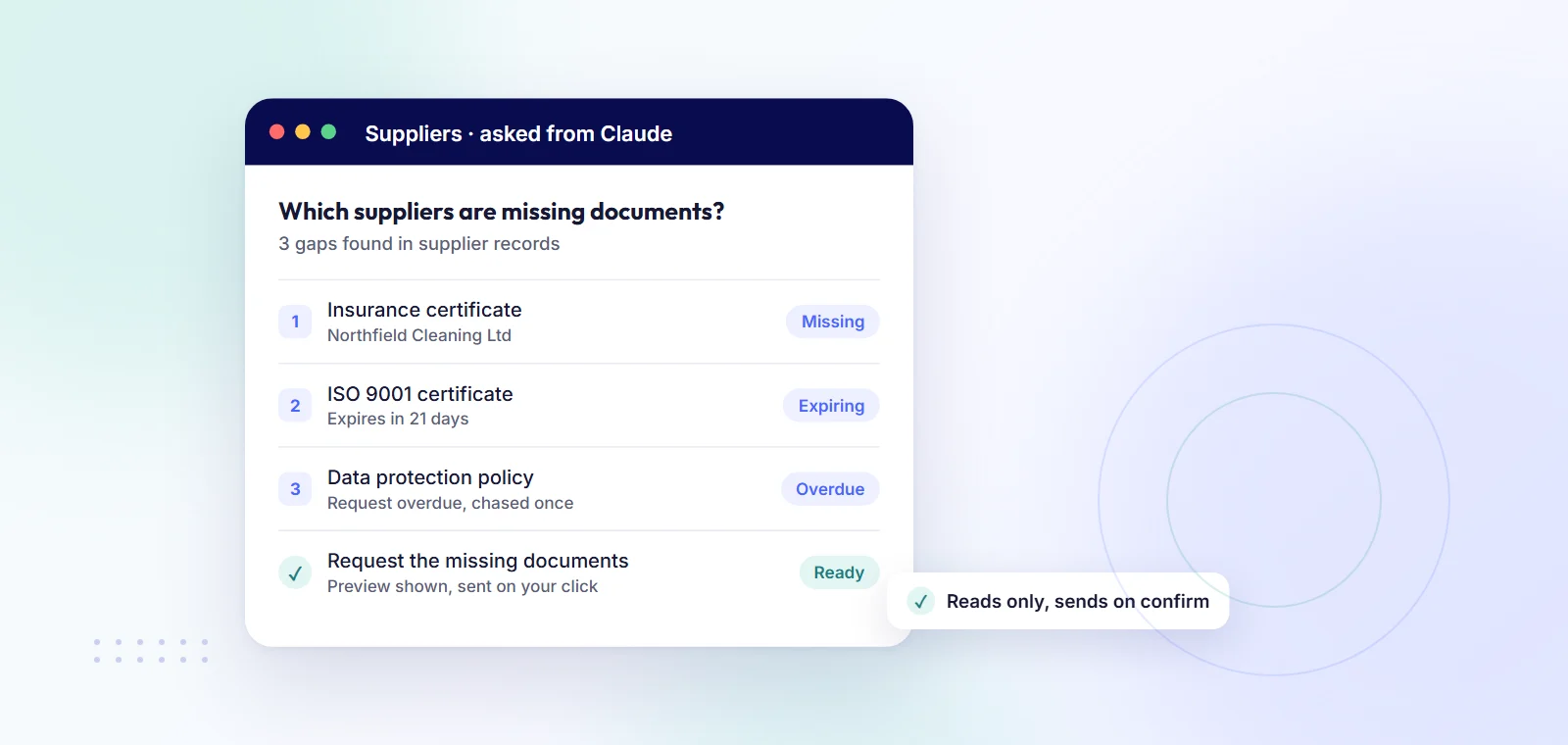
A few supplier management tools now publish an MCP server, which lets an AI assistant read your supplier records and answer questions about them in plain English. oboloo has one for Claude, ChatGPT and Microsoft Copilot: you add one MCP URL and sign in with your own oboloo account, with no API keys. It reads supplier, contract, sourcing and savings records, and the only thing it can send is a document request or chase to suppliers, after you confirm it. It never edits, deletes or approves anything, and it is on every plan, including the free one. Graphite Connect, Omnea and Levelpath also state on their own sites that they have an MCP server, mainly for larger enterprise buyers.
MCP stands for Model Context Protocol. It is a standard way for an AI assistant to connect to another piece of software. Think of it as a plug: the software publishes an MCP server, and the assistant connects to it as a connector.
Without it, you copy a spreadsheet into a chat and hope the answer is right. With it, the assistant asks your supplier management system (also called vendor management software) directly, using your login, and answers from the live records. When the records change, the answers change.
If you want the wider picture of which procurement tools work with AI assistants, see our guide to procurement software that works with ChatGPT or Claude. This article stays with supplier management.
Full disclosure: oboloo is our product. Every competitor fact below comes from the vendor's own page, checked on 12 November 2026.
oboloo is free-forever procurement software for SMEs and charities. The oboloo MCP server reads your supplier records, contracts, sourcing events and savings. Each person connects with their own sign-in, so the assistant sees only what that person can already see in oboloo, and the oboloo password is never shared with the assistant.
Where it fits less well: the assistant cannot change supplier records, update expiry dates or approve documents. If you want an AI agent that writes back into your system, oboloo does not do that. It also does not cover purchase orders, invoices or payments.
Graphite Connect says it launched "the first supplier management MCP server". Its page says the server can write back as well as read, and you set what the agent can read or write. It says the server is included at no additional cost for enterprise customers.
Omnea, a procurement platform, says its MCP server is available for all customers. Its examples include asking who owns a supplier relationship, which suppliers have outstanding purchase orders, and spend by vendor. Updating supplier records from an AI tool is described as coming later.
Levelpath says its MCP server is available to all Levelpath customers and is off until an admin turns it on. Some record types, such as contracts and risk reviews, can be created and updated, while workflows are read-only for now.
With oboloo connected, these are the kinds of questions a buyer can ask:
If the answer shows gaps, you can ask the assistant to request the missing document or chase the late ones. For document tracking in the app itself, see our vendor compliance software page and the guide to supplier compliance software for insurance certificates.
It can:
It cannot:
This matters for supplier data. Insurance and certificate records matter, and a tool that can only read, plus send a request you have checked, is a small risk to take. If you onboard new suppliers in oboloo, the supplier onboarding software is where that work happens; the assistant helps you see what is outstanding.
The Help Centre has step-by-step guides for Claude, ChatGPT and Copilot. Each colleague connects with their own sign-in, so everyone sees only their own view.
It is a connection point that lets an AI assistant such as Claude, ChatGPT or Microsoft Copilot read your supplier records and answer questions about them. You add it as a connector in the assistant and sign in.
With oboloo, each person signs in with their own account, so the assistant sees only what that person can see. The oboloo password is never shared with the assistant, and it cannot edit, delete or approve anything.
Not in oboloo. It reads records and can prepare a document request or chase, which is sent only after you click to confirm. Some other tools, such as Graphite Connect and Levelpath, state that their MCP server can write data too.
Claude, ChatGPT and Microsoft Copilot, all through the same MCP URL.
Yes. It is on every plan, including the free-forever plan, and it does not use your oboloo AI question allowance.