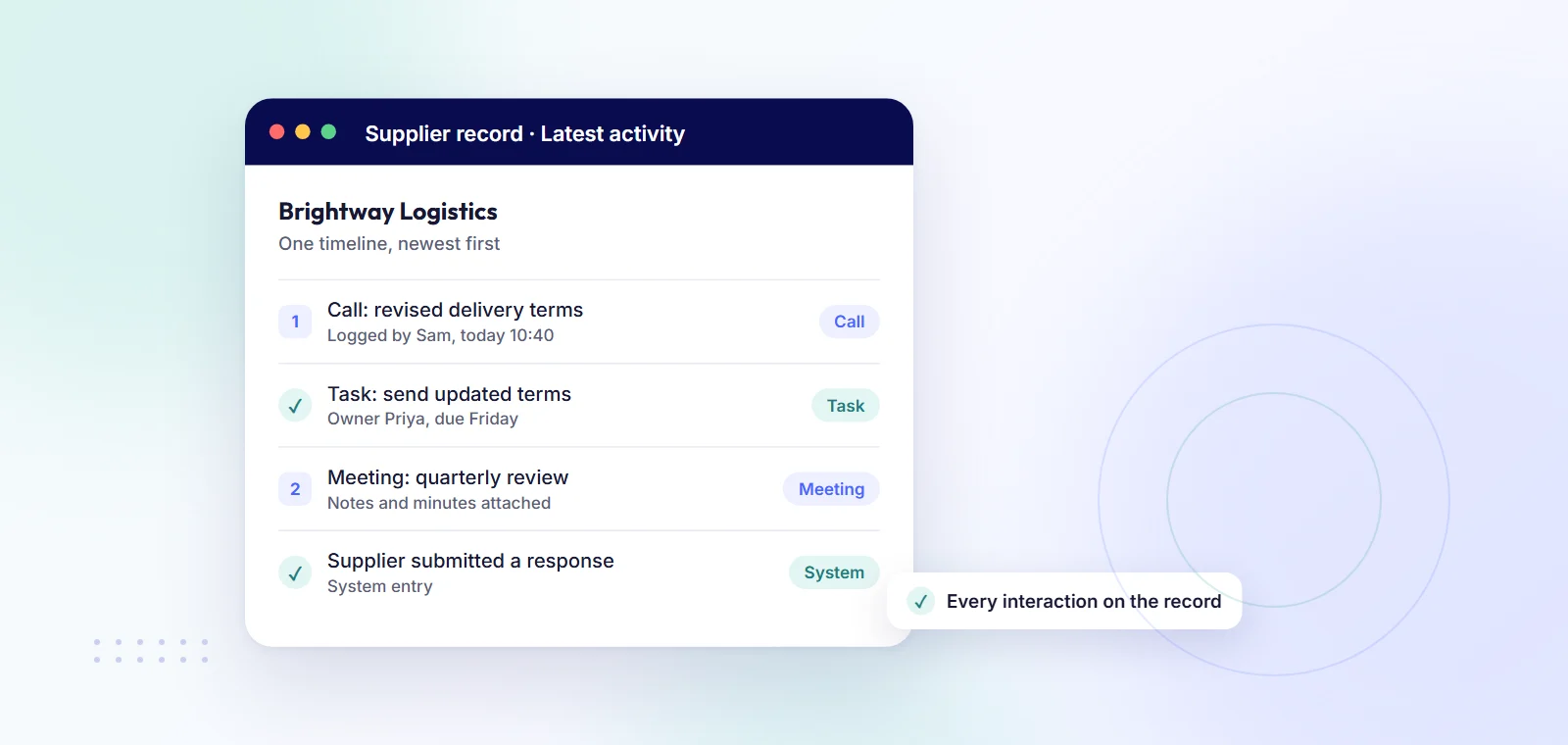
Keep the log on the supplier record itself, not in people's inboxes. Every call, meeting, email, note, document and task goes against the supplier it relates to, with who logged it and when. System entries, such as a supplier submitting a response, belong in the same timeline, so the history reads in one place. Any follow-up gets a named owner and a date. You can do this in a shared spreadsheet log, in a CRM, or in supplier management software with an activity timeline such as oboloo, where activity and tasks are on the free-forever plan.
In a small team, supplier history usually lives in three or four inboxes, a few call notes and someone's memory. That works until a price dispute or a holiday, when nobody can say what was agreed or by whom.
A log on the supplier record fixes that. Anyone on the team opens the supplier and sees the full story, newest first.
A useful entry has these fields:
The system should also record changes to the record itself: what changed, who changed it and when. You should not have to type that change log by hand.
A shared spreadsheet log is free and quick to start: one tab, one row per interaction, a column for supplier. It works for a handful of suppliers and one or two people. Nothing reminds the owner of a follow-up, filtering by supplier is manual, rows get overwritten, and there is no reliable record of who changed what. Our guide to what to use instead of spreadsheets for suppliers, contracts and quotes covers that move in more detail.
A CRM is built for logging calls, emails and tasks, and it does that well. The catch is that a CRM is designed around customers and sales pipelines. Suppliers end up as "accounts" next to prospects, and contracts, sourcing events and savings sit outside it.
Supplier management software (also called vendor management software) with an activity timeline keeps the log next to everything else you hold on the supplier: contacts, documents, contracts, sourcing and savings. Interactions and system changes sit in one history, and tasks come with reminders. The trade-off is one more tool to roll out. For a wider comparison, see our supplier management tools for small business.
In oboloo, procurement activity tracking lets you log notes, emails, calls, meetings and tasks against the supplier, contract, sourcing event or saving they relate to, and documents against suppliers, sourcing events and savings. Storing contract documents needs Contract Plus. Each record has one Latest activity timeline. It holds what people did and what the system did, such as "Supplier submitted a response", and you can filter it by type: notes, calls, meetings, tasks or documents.
Tasks are assigned to a named colleague. oboloo emails the assignee when the task is assigned and again when it is completed, and you can @mention a colleague to bring them in. The My records view shows only the records you own, so each person sees their own suppliers first.
For changes, audit and change logs are on the free plan, alongside the supplier management system itself. See governance, audit trails and approvals. Sourcing events log every score, comment and rescore.
oboloo is free-forever procurement software with unlimited users, so the whole team can log activity without a seat count. If your history is in a spreadsheet today, you can import your supplier data to start. An AI summary of a record is available on Plus plans and during the 14-day trial, not on the free plan.
Where it fits less well: an email becomes part of the log when someone logs it as an activity, with the key lines pasted in. The log is only as complete as the team habit behind it.
The log pays off most when someone leaves or goes on leave. The person covering reads the timeline: last call, open tasks, what changed and why.
It also helps when you have to show your working. A dispute, an audit or a trustee question usually comes down to what was agreed, who agreed it and when. A dated log with named people answers all three, and a system change log shows the record was not edited after the fact.
The supplier, the type of interaction, the date, who was involved, a short summary, any decision or change, and a follow-up with an owner and due date. Link the contract, quote or saving it relates to.
Yes, for a few suppliers and one or two people: one row per interaction, with a supplier column. It gets harder as you grow, with no reminders and no reliable record of edits.
It can, but a CRM is built around customers and sales, so contracts, sourcing and savings end up in other tools.
Use a tool that records changes automatically: what changed, who changed it and when. In oboloo, audit and change logs are on the free plan.
Make sure each supplier has an owner, open tasks are reassigned to a named colleague, and the activity timeline is up to date. The new owner then reads the history on the record rather than in old emails.